
Where did this month's salary actually go?
Famli auto-tracks every transaction across your bank accounts and turns it into one clear spending picture — for you, and your family. No exports, no Excel, no guesswork.
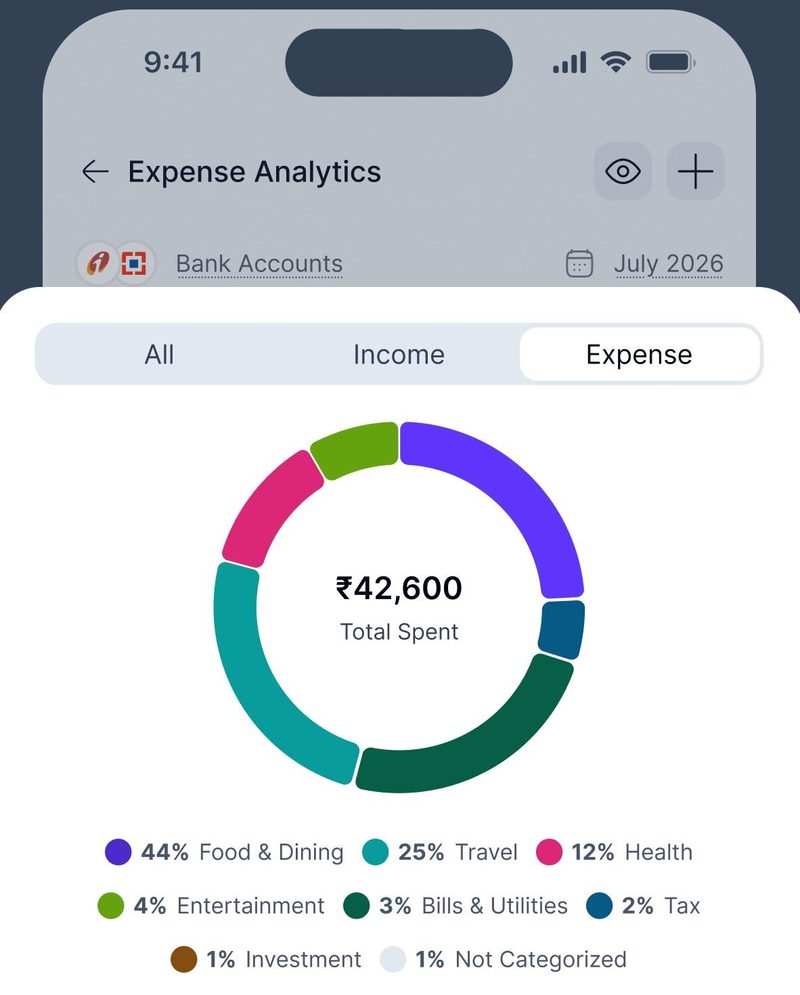
Figures shown are illustrative
Tracking expenses shouldn't feel like a second job
- Download statements from 3–4 apps every month
- Manually sort every transaction into categories
- Understand expenditure through bank statements
- Connects to your accounts via Account Aggregator
- Every transaction sorted automatically — no manual work, ever
- Categorize bulk transactions such as UPI into relevant categories and get a clear view of expenses
Built for how Indian families actually spend
Auto-categorised spending
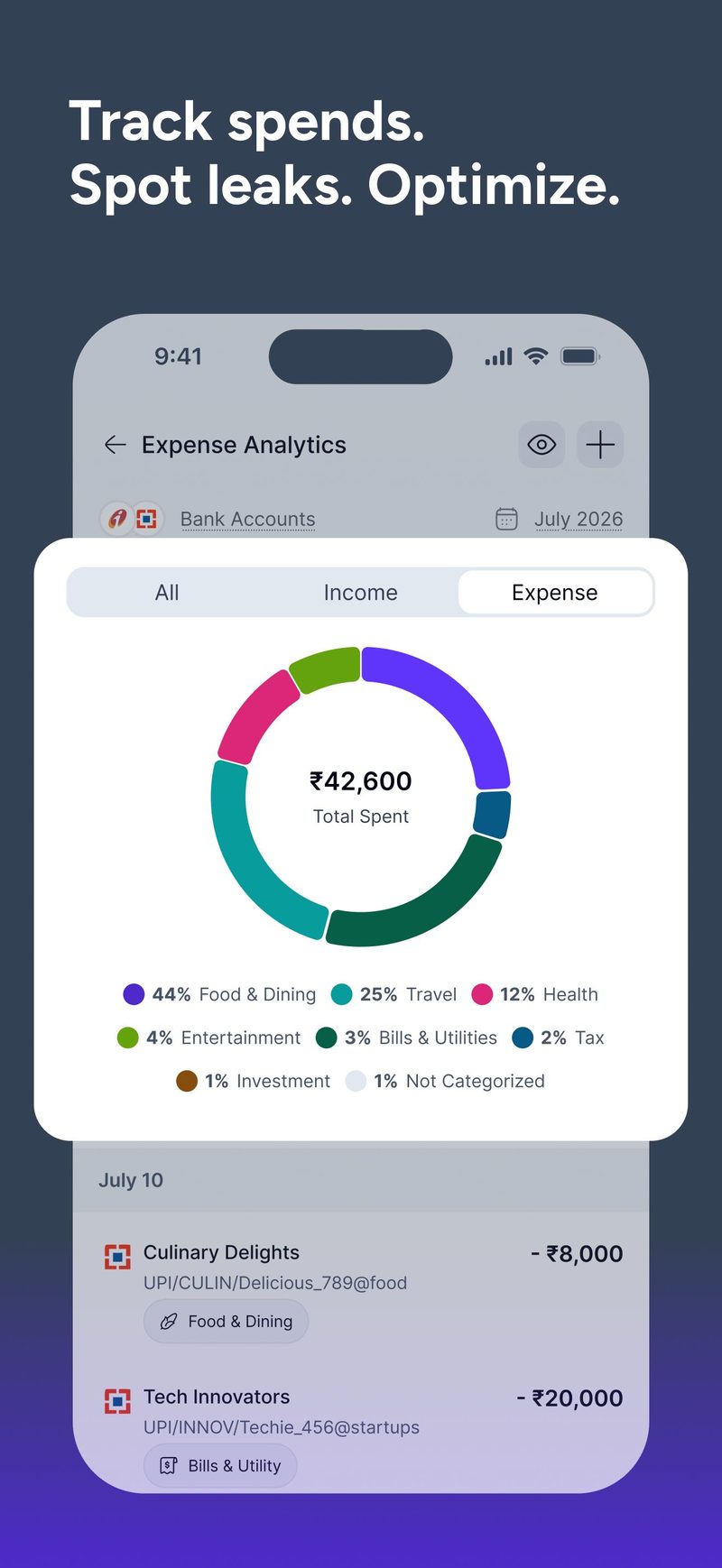
Every UPI payment and bill gets sorted into a category on its own. Bulk-categorise months of transactions in one go — so you can spot leaks and optimise your spending faster.
One view for the family
Invite your spouse or parents to see shared spending — they only see what you choose to share.
Guidance from Buddy
Ask Buddy, Famli's AI assistant, where your money went this month — get a plain-English answer.
Bank-level security
Connects via the RBI-regulated Account Aggregator framework. We never see or store your passwords.
Get expense analytics in three steps
From opening the app to seeing where your money went — no spreadsheets, no manual entry.
- 01
Login with your phone number
Sign in to Famli using your registered mobile number.
- 02
Sync your accounts securely
Use your registered phone number to connect your bank accounts via the RBI-regulated Account Aggregator framework — a secure data pipeline that fetches your transactions and auto-categorises every expense.
- 03
Go to Income & Expenses → Expense Analytics
Head to the Income & Expenses section and open Expense Analytics — already populated, nothing to set up.
Bulk-categorise months of transactions in one go, so you can spot leaks and optimise your spending — automatically.
Protected the same way your bank protects it
You're connecting real financial accounts — so security isn't an afterthought here, it's the foundation.
- ISO 27001 certified
Independently audited to the same information security standard used by banks and regulated financial institutions.
- Account Aggregator, not passwords
Your accounts connect through the RBI-regulated Account Aggregator framework. Your bank verifies the connection — we never see or store your passwords.
- Kept in non-identifiable containers
Your financial data is stored in non-identifiable containers, separated from anything that could tie it directly back to you.
- You control what's shared
Family members only see what you choose to share with them — and you can change or revoke that access at any time.
Your spending story, finally clear.
Free to download. Set up in minutes. See your family's full spending picture today.
Download Famli — it's freeSEBI-registered Investment Adviser. Famli provides visibility and guidance only — not investment advice.